
Castle App
Castle is among the most popular free streaming platforms in South Asia, with millions of users enjoying its content every day. You can stream live cricket matches, web series, Bollywood movies, and much more without paying anything. No sign-up required. No monthly subscription. No waiting.

Version: V2.1.3 Size: 54 MB

McAfee

F-Secure

Adblock
The app features an extensive library of content, including Indian cinema, Hollywood movies, Korean dramas, Pakistani dramas, children’s cartoons, and live news. You can also download videos and enjoy them later without an internet connection. This streaming platform offers entertainment options that typically require paid subscriptions, all at no cost. It works on Android phones, Smart TVs, and Firestick devices. The app is lightweight, fast, and simple to navigate. Whether you enjoy movies, sports, or daily soaps, there is something for everyone. It brings a wide range of entertainment together in one convenient place.
Castle APK
Castle APK is the Android installation file required to set up the app. It is not available on the Google Play Store, so you need to download the APK from a trusted website. The file is relatively small, measuring around 55 to 57 MB, and supports Android 4.0 and above, including older phones. After installation, you can access over one lakh movies, web series, live TV channels, and sports content. The app receives regular updates that introduce new content, fix issues, and improve overall performance. New versions may also offer faster and smoother operation. Since it is a third-party app, always obtain it from a reliable source. This page claims to offer a 100% McAfee-verified APK file, but you should independently verify the file’s safety before installing it. Avoid downloading APKs from unfamiliar websites to reduce potential security risks. Use the download button on this page to access the available version.
Castle App
Castle App is an Android streaming platform designed for entertainment enthusiasts. It caters to users who want to watch movies, live TV, and sports without paying for a subscription. The app occupies approximately 55 to 57 MB of storage and runs on Android 4.0 or later. You do not need a powerful smartphone to run it. The current version is v2.1.1, with regular updates released to improve the experience. It belongs to the Entertainment category and does not require root access. You can install it just like a standard Android application. The developer releases newer versions to address bugs and introduce additional content. The app is free to use, while an optional premium plan reportedly starts at ₹109 per month and offers ad-free viewing and extra titles. Since it is not listed on the Google Play Store, you need to obtain its APK from a trusted website. It supports Android smartphones, tablets, Smart TVs, and Firestick devices.
Castle App Download
Castle App Download is a straightforward process when you follow the correct steps. Tap the download button above or below this article to get the APK file on your device. Before downloading, open your phone’s Settings and navigate to Security or Privacy. Enable the option for installing apps from unknown sources or allow installation from your browser or file manager when prompted. This permission is necessary because the app is not available through the Play Store. Next, tap the download button and wait for the file to finish downloading. On a stable internet connection, this may take less than a minute. Open your file manager and locate the APK in the Downloads folder. Tap the file and follow the on-screen instructions to complete the installation. The entire process may take around five minutes. For Windows 11, Android app support depends on your system configuration and the installation method available. Older Windows versions generally require an Android emulator, such as BlueStacks, to run Android apps. Once installation is complete, you can open the app and get started.
How to Download & Install Castle App?
Follow these steps to download and install the Castal Movie App from this page:
- Find the download button on this page and tap it.
- Wait for the APK file to download completely to your device.
- Open your phone’s Settings and navigate to Security or Privacy.
- Enable “Install from Unknown Sources” or “Allow from this source.”
- Open your File Manager and go to the Downloads folder.
- Tap the APK file to begin the installation process.
- Review the permission pop-ups and tap Install to continue.
- Wait for the installation progress bar to finish. Do not close the screen.
- Tap Open once the installation is complete to launch the app.
- Skip sign-in if you prefer. No account is needed to use the app.
- Search for your favorite movie, sport, or channel and start watching.
Castle TV
Castle TV is the Smart TV version of the app, designed to provide a convenient streaming experience on larger screens. More households now use Android TV boxes, Firestick devices, and smart televisions for everyday entertainment. The app’s TV mode is designed to suit big screens, with a larger layout that is easier to read from across the room. Its menus support remote control navigation, so a touchscreen is not required. You can install the APK on compatible Android TVs or sideload it using a USB drive. Once installed, you can access live channels, sports, and on-demand movies, depending on the available content and streaming quality. Firestick is another popular setup for users who prefer watching on their televisions. Some viewers look for alternatives to traditional cable services, and streaming apps can offer another way to access entertainment on a big screen without a conventional cable subscription.
How to Install Castle APK for Android TV?
- Navigate to your Android TV Settings and open the Developer Options section.
- Enable “Unknown Sources” under Security to permit installations from third-party sources.
- Download Castle APK to your phone or PC from this page.
- Transfer the APK file to a USB drive and connect it to your Android TV.
- Install a file manager on your TV. X-plore or FX File Explorer are suitable options.
- Open the file manager, access the USB drive, and locate the APK file.
- Select the APK and choose Install when the on-screen prompt appears.
- Wait for the installation to complete, then launch the app from your TV’s app launcher.
- On Firestick, install the Downloader app from the Amazon Appstore.
- Open Downloader and enter the website URL in its address bar.
- Visit the site, tap the download option, and follow the on-screen installation instructions.
- Use your remote to browse categories, search for titles, and start streaming.
- If your remote supports voice search, use it to find content more quickly.
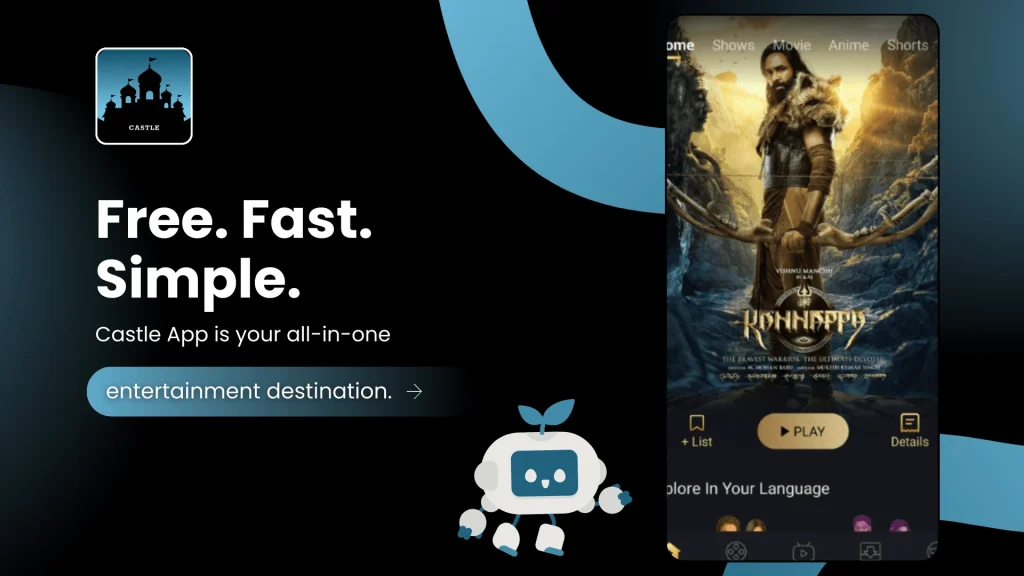
Features of Castle App
This streaming platform brings a cinema-like experience to your Android device with a wide variety of entertainment options. Let’s take a closer look at its features for movie fans and media enthusiasts.
Massive Content Library
Castle App Download 2026 offers a large collection of movies and web series across different genres and languages. Its library includes Bollywood, Hollywood, South Indian cinema, Korean dramas, anime, and more. New titles may become available regularly, giving viewers plenty of options to explore. Whether you prefer timeless classics or recent releases, you can browse different categories and discover entertainment that matches your interests without a traditional subscription.
Completely Free to Use
The app is promoted as a free streaming platform, allowing users to explore its available content without a standard monthly subscription or free-trial period. Unlike paid services such as Netflix or Prime Video, it aims to provide an alternative for viewers looking to reduce entertainment expenses. Some features or content may vary by version, and optional paid plans may apply. Account requirements can also depend on the specific version you use.
500+ Live TV Channels
Castle App APK is advertised as offering more than 500 live TV channels covering news, sports, movies, music, children’s programs, and religious broadcasts. You can browse the available channels and switch between them through the app’s interface. Streaming quality generally depends on your internet connection and the selected channel. This feature provides an alternative to conventional cable television, although channel availability and access may vary.
HD and Full HD Quality
The platform may offer different video resolutions, ranging from lower-quality streams to 1080p Full HD, depending on the available content. You can select a suitable resolution according to your internet speed and viewing preferences. A faster connection can support sharper images, while a lower resolution may help reduce buffering on slower networks. Actual playback quality depends on the source, device, and stability of your connection.
Live Sports Streaming
Castle APK Download is promoted as an option for sports enthusiasts who want to follow live matches and sporting events. Depending on channel availability, its sports selection may include cricket tournaments such as the IPL and PSL, T20 and Test matches, football competitions, tennis, basketball, and more. Available broadcasts can change, so check the listings before a match. Stream quality and live coverage depend on the source and your internet connection.
Download for Offline Viewing
If the version you use supports downloads, you can save compatible movies, shows, or episodes to your device and watch them later without an internet connection. This can be convenient while travelling, during power outages, or when mobile data is limited. Download availability depends on the title and app version. Check the available storage space before saving videos, and remember that not every stream supports offline playback.
Multi-Language Content
Castle App Doombad is described as offering entertainment in several languages, including Hindi, English, Urdu, Tamil, Telugu, Kannada, Malayalam, Punjabi, Bengali, Korean, Japanese, Chinese, Spanish, and Turkish. Language options may differ between titles and versions. You can explore the available categories or use the search feature to find content in your preferred language. This variety can help viewers discover regional films, international dramas, and entertainment from different cultures.
Chromecast Support
Casting can make it easier to watch compatible content from your phone on a larger television screen. If the app supports Chromecast, connect your phone and compatible TV to the same Wi-Fi network, then look for the cast icon in the player. Select your television to begin casting. Availability depends on the app version and device compatibility. A TV with built-in Chromecast or Google TV may provide a convenient way to enjoy supported content on a larger display.
Subtitle Support
Some movies and shows available through the Castle App Download Old Version may include subtitles in English or other languages. When subtitles are available, you can usually enable or disable them through the playback controls. This can be especially useful when watching Korean dramas, Japanese anime, or international films. Subtitle languages and synchronization may vary by title, so check the available options if you need captions in a particular language.
Watchlist and Custom Playlists
A watchlist feature, when available in your version, can help you keep track of movies and shows you want to watch later. Instead of searching for the same title repeatedly, save it for easier access. Some versions may also provide playlist or recommendation features. These tools make browsing more convenient and help you organize your entertainment choices according to your interests.
Kids Section and Parental Controls
Castle TV App may include family-oriented entertainment such as cartoons, animated movies, and educational programs. However, a dedicated children’s category does not automatically mean every title is suitable for all ages. Review the content before allowing children to watch, and check whether your version provides parental controls or content restrictions. Active supervision is also helpful when using third-party streaming platforms.
Simple and Clean Interface
The app is designed to make browsing and playback straightforward. Clearly organized menus and content categories can help you explore available movies, shows, and channels. A search function may also help you locate a particular title without scrolling through the entire library. The exact interface and search performance depend on the version installed, but a simple layout can make navigation easier for new users.
Works on Multiple Devices
Castle TV APK is intended primarily for Android devices, with possible compatibility on Android phones, tablets, compatible Smart TVs, and Firestick through supported installation methods. On Windows PCs, an Android emulator may be required. Compatibility is not guaranteed on every device, so check the system requirements before installing. You should also verify the source of any APK file and review its permissions before proceeding.
Built-In Player with External Player Option
Depending on the version, the app may provide an integrated video player with playback controls for volume, brightness, and seeking. Some builds may also allow compatible external players, such as MX Player or VLC, to open supported streams. External-player availability depends on the app’s settings and the video source. Choosing a compatible player can offer more control over playback and subtitles when the feature is supported.
Bollywood and South Indian Films
Castle App for Android is promoted as a destination for Indian cinema, including Bollywood productions and South Indian films in Tamil, Telugu, Kannada, and Malayalam. Viewers can explore different genres, from action and romance to comedy and drama. Some titles may include Hindi dubbing or subtitles, depending on availability. The actual catalogue can change, so search for your preferred film or language to see what is currently accessible.
Korean, Turkish, and Japanese Shows
Fans of international entertainment can explore Korean dramas, Turkish series, and Japanese anime when these categories are available. Some titles may offer dubbed audio or subtitles, making them easier to follow without understanding the original language. The selection and release schedule can vary by version and content source. Browsing the international categories is a convenient way to discover new shows alongside familiar favorites.
New Content Added Daily
Castle App for PC may provide access to newly listed movies, episodes, and sports broadcasts as its available catalogue changes. However, daily additions and release schedules are not guaranteed. App updates may also include bug fixes, compatibility improvements, or interface changes. Check the release information before installing a newer version, and obtain updates only from a source you trust.
Data Usage Control
Managing video quality can help you control mobile data consumption while streaming. Choose a lower resolution when using a limited mobile data plan, and reserve higher resolutions for a reliable Wi-Fi connection. Lower-quality streams generally consume less data, although actual usage depends on video length, compression, and playback settings. If the app provides a data-saving mode, check its settings to see how it affects video quality and consumption.
No Account Needed
Castle TV App Download may allow you to browse and watch available content without creating an account, depending on the version and its requirements. If registration is not required, you can avoid setting up another username and password. Some versions or optional services may have different access conditions. Review the app’s current sign-in requirements, privacy information, and any premium options before using it.
How to Use Castle App APK?
After installing the app, getting started is straightforward. Follow these steps to explore its available features:
- Tap the Castle App icon on your home screen to launch it.
- Explore the home screen to discover featured titles, trending shows, and live events.
- Use the search bar to look for a movie, actor, or preferred genre.
- Select a title to view its available details, cast information, rating, and description.
- Choose a suitable video quality before playback based on your internet connection.
- Press the play button to start watching your selected movie or show.
- If downloads are supported, tap the download icon to save compatible content for offline viewing.
- Browse the Kids section, if available, to find cartoons and other family-oriented entertainment.
- Open the Sports or Live TV tab, when available, to explore channels and sports broadcasts.
- Select the bookmark icon on a title to add it to your watchlist, if this feature is supported.
- Check the player settings for available subtitle, audio-track, and playback-speed options.
- If Chromecast casting is supported, tap the cast icon to stream compatible content to your Smart TV.
- Use the back button in the player to return to browsing and select another title.
- Visit the New Arrivals section, if available, to explore recently listed content.
- To remove downloaded files, open your downloads library and use the available delete option to free up storage.
- Review the parental control settings, if provided, before allowing children to use the app unsupervised.
Castle Mod APK
Castle Mod APK is a modified edition of the original Castle App. Third-party developers alter the app to change certain features or attempt to unlock premium options. Depending on the build, these modifications may claim to provide ad-free viewing or access to additional content without a paid subscription. However, these benefits are not guaranteed, and some features may still require payment or may not work as expected.
Some users may prefer modified versions because they are looking for fewer advertisements and a smoother streaming experience. However, Mod APK files come with security risks because they are distributed outside official app stores and may contain unwanted code or altered permissions. Downloading from a website you trust does not guarantee that a file is safe. Before installing, scan the APK with a reputable security tool, review the requested permissions, and avoid providing sensitive information. Keep your device’s security protections enabled as well.
Although Castle Mod APK may advertise premium access, no ads, and unrestricted Full HD streaming at no cost, these claims can vary by version and may not reflect the app’s actual capabilities. Check the available features carefully before installing any modified application.
Mod Features of Castle Mod APK
- All premium features are available for free, with no payment required.
- Ads are removed to provide an uninterrupted viewing experience.
- Full HD 1080p playback is available for every title, without quality restrictions.
- Premium content is accessible to all users without requiring an upgrade.
- Offline downloads offer faster performance than the standard version of the app.
- You can sign in on multiple devices simultaneously with fewer access restrictions.
- The content request feature lets you suggest new movies and shows for future additions.
- No account registration or sign-in is required to access the app’s features.
- Music and audio content can continue playing in the background when the screen is off.
- Subtitle and audio language options are available and easy to adjust.
- Parental control settings can be accessed without a premium account.
- Auto-play and next-episode playback work without upgrade prompts interrupting the experience.
Top OTT Platforms Offered on Castle App
Castle App OTT is an all-in-one entertainment hub that brings together a variety of movies, TV shows, and OTT-style content in one place. Below are some of the platforms and content categories associated with its entertainment library.
BHD Mirchi Originals
BHD Mirchi Originals features Hindi web series and short films created for digital audiences. Its collection focuses on local stories, fresh characters, and themes that may not receive as much attention on traditional television. Viewers looking for Hindi-language digital entertainment can explore this category for a different mix of storytelling.
Zee5
Zee5 is a popular Indian OTT platform offering Hindi and regional dramas, reality shows, news, and original digital series. Castle App Download APK may feature related entertainment content, depending on its available catalog. Fans of Zee TV’s daily soaps and digital productions can look for familiar shows and regional programming in the relevant sections.
SonyLIV
SonyLIV is known for its selection of sports, television programs, and original series. Its catalog includes content associated with Sony Entertainment Television, along with selected cricket tournaments and WWE programming, subject to regional rights and availability. Castle App users can explore its available sports and entertainment categories in one place. However, access to SonyLIV’s full catalog or live events is not guaranteed without the appropriate subscription or authorized access.
Eros Now
Eros Now is associated with a broad collection of Indian films, including Bollywood titles and music videos. Castle Movies App may offer related movie content within its available library. Viewers interested in classic Hindi cinema, newer releases, and South Asian entertainment can explore the relevant categories. The selection may vary, and the availability of specific films depends on the catalog.
Hotstar Disney+
Disney+ Hotstar has offered a wide range of entertainment, including Disney films, Marvel titles, Star India programming, and cricket coverage in supported regions. This content category may help Castle App users discover Indian and international entertainment in one place. However, the availability of specific titles, live cricket matches, and premium programs depends on regional licensing and authorized access; a separate subscription may still be required.
Netflix
Netflix is a major streaming service known for its original series, films, documentaries, reality shows, and Hollywood productions. Castle HD App may include related titles or recommendations in its entertainment library, depending on the available content. Viewers can explore different genres, including youth-focused dramas and reality television. Access to Netflix’s complete catalog through Castle App is not guaranteed, and Netflix subscription requirements may still apply.
Entertainment Genres on Castle App
Castle App APK Latest Version 2026 offers a variety of entertainment genres, making it easier to explore different types of movies and shows. Here is a list of genres and content categories you may find in its library:
- Action, Adventure, Comedy, Romance, Drama, Thriller, and Horror.
- Mystery, Sci-Fi, Fantasy, Animation, Anime, Documentary, Biography, and History.
- Crime, Family, Kids, Musical, Sports, Reality TV, Talk Shows, and Game Shows.
- News, Political, War, Western, Classic Cinema, and Cult Films.
- Independent Films, Bollywood, South Indian Cinema, Hollywood, Lollywood, and Tollywood.
- K-Dramas, Turkish Dramas, Japanese Series, Chinese Cinema, and Spanish Series.
- European Films, Russian Dramas, Pakistani Dramas, Short Films, and Web Originals.
Castle App Alternatives
Castle alternatives are worth exploring for movie and entertainment fans looking for other streaming options. Here are several platforms you can consider, each offering a different mix of movies, TV shows, live channels, or sports content.
Pikashow
Pikashow is known for offering a mix of entertainment categories, including live TV, Bollywood films, Hollywood movies, sports, and web series. Its interface is designed to help users browse different types of content in one place. Streaming performance can vary depending on the source, device, and internet connection, so the overall experience may differ between users.
ThopTV
ThopTV has been associated with live television streaming, with channels covering news, sports, entertainment, and regional programming from different countries. Its focus is more on live channels than on-demand movies. However, availability and reliability can vary, and users should check whether the channels they want are accessible through a legitimate service in their region.
BeeTV
BeeTV is another option users may consider as a Castle App Alternative for exploring movies and TV episodes. It organizes available titles in a streaming-style interface and has been associated with links from multiple online sources. Some versions have also supported Real-Debrid integration. Features, source availability, and playback quality can vary by version, so users should be careful when installing unofficial software.
Cinema HD
Cinema HD is known for its catalog-style browsing experience, allowing users to explore movies and TV episodes by different categories. Available streaming links may include different resolutions, such as 720p, 1080p, or higher, depending on the title and source. Some versions have offered integrations with services such as Trakt for tracking watchlists. Actual features and video quality may vary.
HD Streamz
HD Streamz is aimed at users interested in live television, sports, and international channels. Its channel categories may include football, cricket, news, and general entertainment. Channel availability and streaming stability depend on the source and connection quality. Before installing any third-party streaming app, review its permissions and download it only from a source you trust.
Pros & Cons
Pros
- The app offers free access without requiring a paid subscription or trial plan.
- Its content library may include a broad selection of movies, shows, and web series.
- Live TV categories may feature news, sports, and entertainment channels.
- Sports content may include cricket tournaments such as the IPL and PSL, along with football leagues, depending on availability.
- Some titles may be available in Full HD 1080p, depending on the source and device.
- Offline downloads may be available for watching selected content without an internet connection.
- The viewing experience may have fewer ad interruptions, depending on the version and content source.
- Content may be available in Hindi, English, Tamil, Korean, and other languages.
- Parental control options may help families manage what children can access.
- The app may work on compatible Android phones, Smart TVs, Fire TV devices, and PCs through supported emulators.
- Some versions allow users to explore content without creating an account.
- Updates may introduce new content, feature improvements, and performance fixes.
- Subtitle options can make foreign-language movies and shows easier to follow.
Cons
- The app may not be available on the Google Play Store, requiring manual APK installation.
- An official version for iPhone and iPad may not be available.
- Some live channels may become unavailable or experience interruptions.
- As a third-party streaming app, its licensing and legal status may differ from those of established paid platforms.
- Video quality may decrease when the internet connection is slow or unstable.
- New APK releases may occasionally contain bugs or compatibility issues.
- Content in less widely supported regional languages may be limited or unavailable.
Conclusion
Castle App is a streaming option for Android users who want to explore movies, live TV, sports, web series, and kids’ entertainment in one place. Depending on the available content and version, the app may offer access without requiring registration or a paid subscription. Sports categories may include cricket tournaments such as the IPL and selected football events, while the kids’ section provides additional entertainment choices for families. Some versions may also support downloading content for offline viewing. Castle App is designed for compatible devices, including Android phones, certain Smart TVs, and Fire TV devices. Performance depends on your device, internet connection, and the content source. If you decide to try it, review the download source and app permissions before installing. Follow the installation instructions carefully, then explore the available categories to find movies and shows that suit your interests.